 monthlet
monthlet is a note app where you write and grow notes through AI chat. This post covers what to do when you are not sure how to use monthlet.
There is a help page
The “?” button in the bottom-left of the window, or “Open Help” in the Help menu, opens the help page. It walks through the main features: basic operations, what you can do in chat, skills, themes, and export.
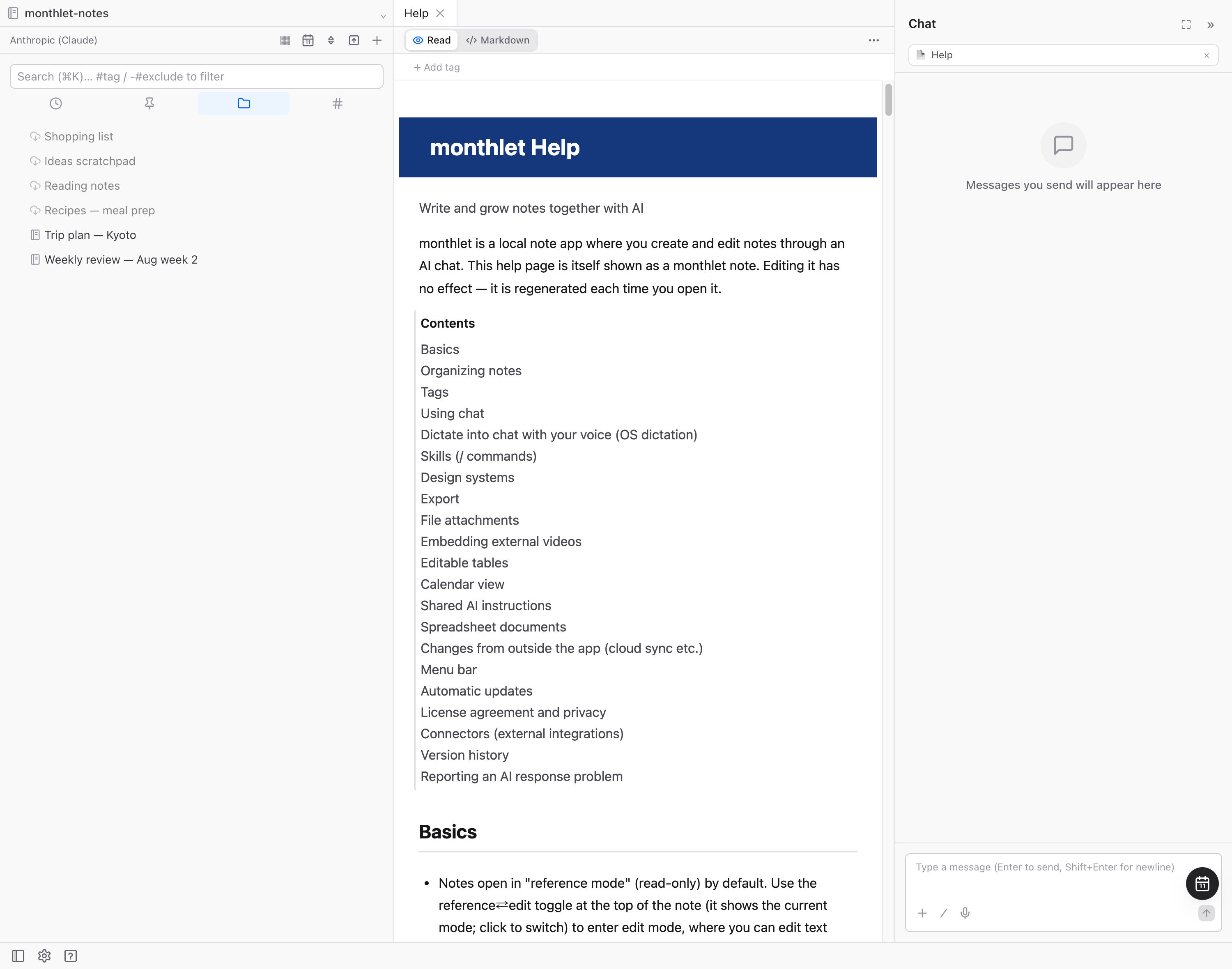
The help itself is built as a monthlet note. The app regenerates its contents each time you open it, so the help updates automatically when the app is updated. Edits are not saved; the next time you open it, the original content is back. It can be displayed in six languages, including Japanese and English, following your display language.
If you cannot find it, ask in the AI chat
If you cannot find what you are looking for on the help page, or you are wondering how a particular operation works, just ask the AI chat. You can ask in everyday language, such as “How do I turn a note into a PDF?” or “How do I add tags?”
For usage questions, you do not have to be in the chat on the help page. You can ask from the chat of the note you are working on, as a continuation of what you were already doing — for example, in the middle of writing a trip-planning note.
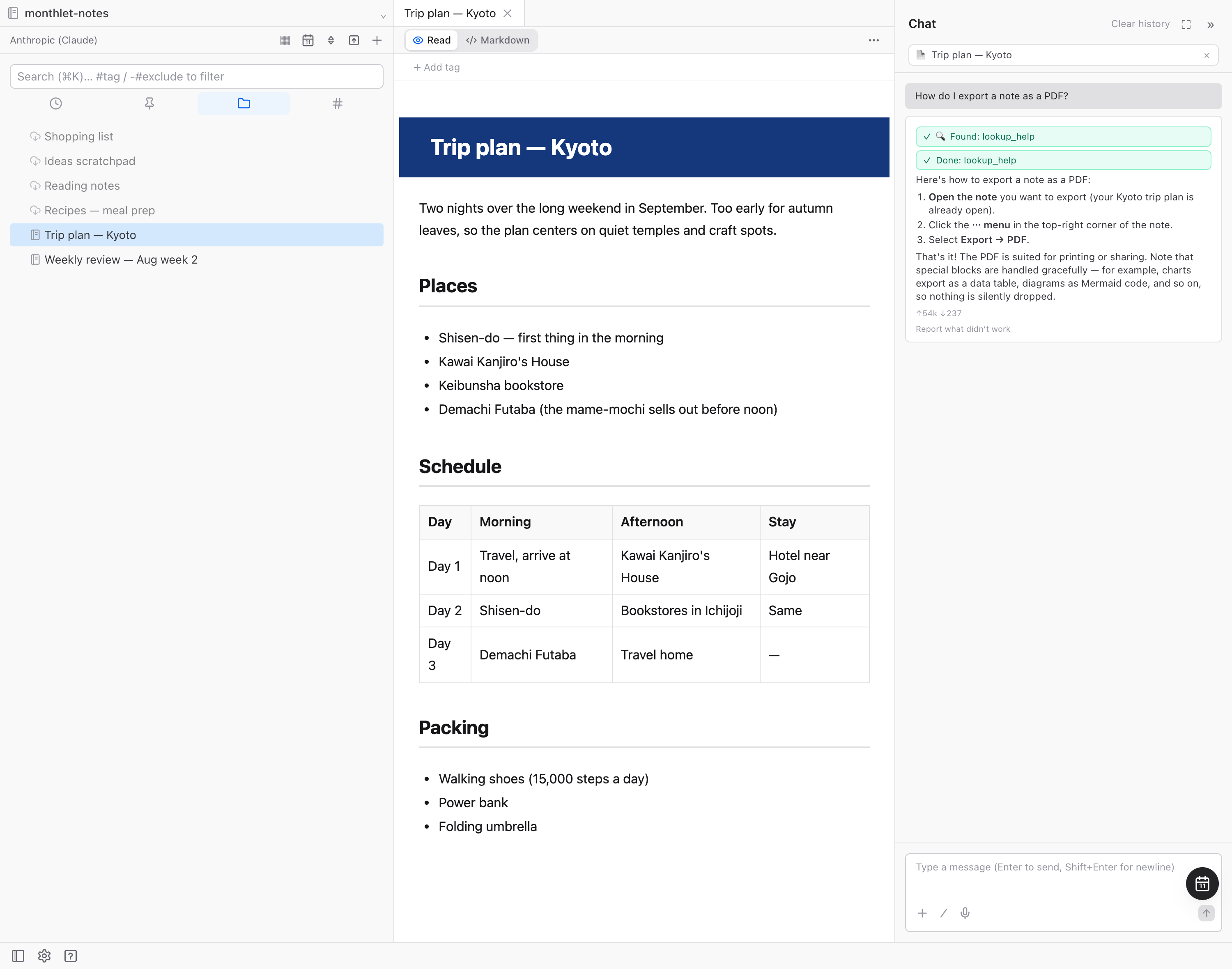
We also recorded the actual flow as a video of about 40 seconds: opening the help page, then going back to a note in progress and asking there.
What the AI is looking at when it answers
The AI searches knowledge data bundled with the app and answers based on the matching sections. That knowledge holds more detail than the explanations on the help page, so most operations can be resolved there. Conversely, when nothing in the knowledge matches, the app is built so the AI says so instead of guessing. This is to avoid plausible-sounding but incorrect instructions.
The knowledge data has 38 sections per language (as of 0.12.0). The chat AI has a tool for searching this knowledge, and it identifies the sections that match your question before answering. The search reuses the same full-text search mechanism as ordinary note search inside the app, so no external request is made for this search. (The exchange of your question and the response itself goes to the AI provider you are using, as with any other chat.)
The knowledge exists in six languages, matching the display language. Japanese and English are the canonical versions written by the developer; Korean, French, German, and Spanish are currently machine translated.
In developing monthlet, to avoid the state where “the app works but the help is out of date”, updating the help information is part of the definition of done for adding or changing a feature — the same change must include the help update. “Ask the AI and you will know how to use it” only holds if the knowledge is current.
If a response does not work out, you can report it to the developer
Finally, here is a new feature in 0.12.0, released this week. When a chat response is not what you expected, you can now send that exchange to the developer.
Below the response, there is a “Report what didn’t work” link. Selecting it opens the reporting screen.
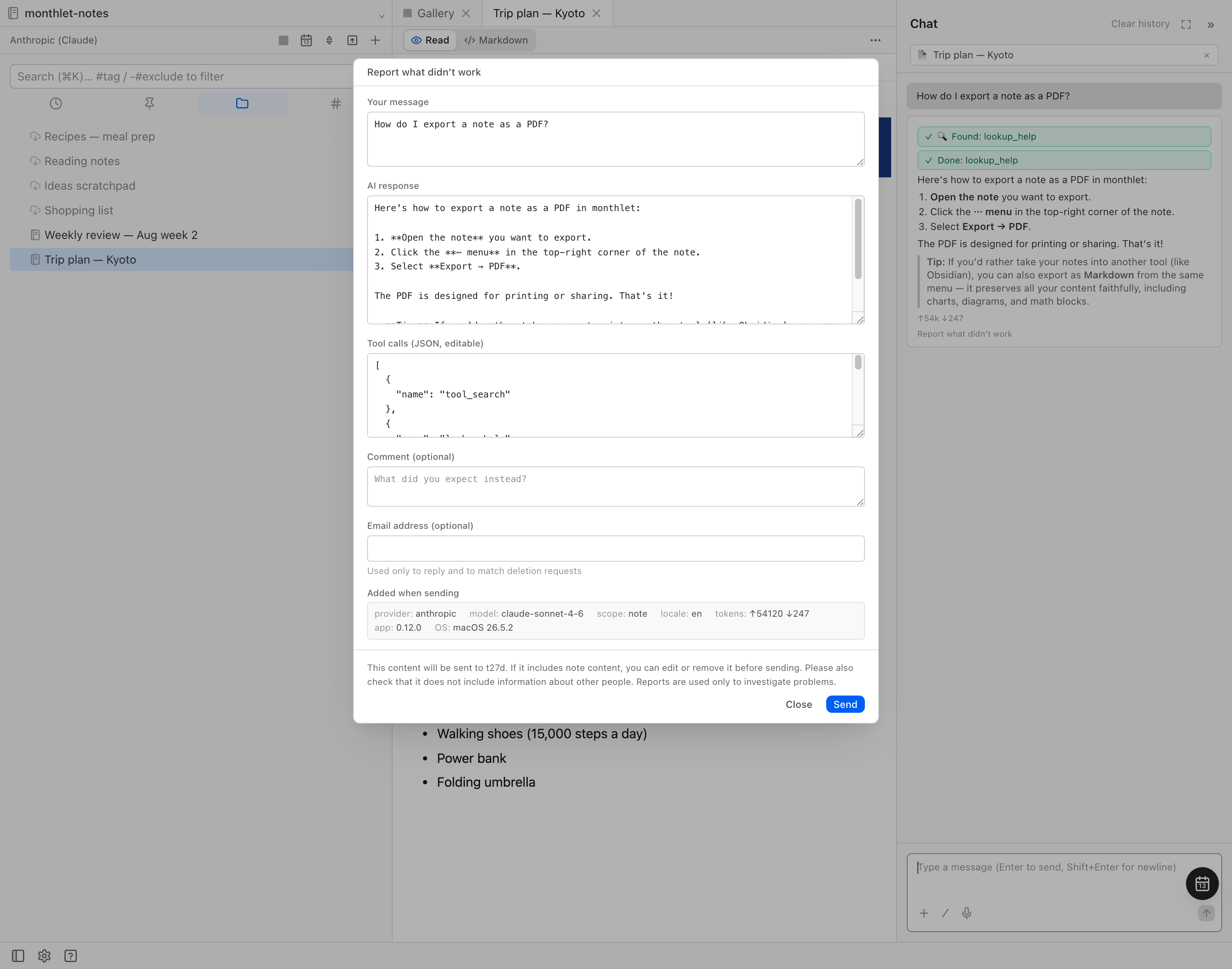
We recorded this as a video too: opening the reporting screen from the link below the response, and reviewing what will be sent.
The developer investigates the cause of reports and uses them to improve the quality of chat responses. In designing this feature, we prioritized letting you see exactly what gets sent.
- Only what is shown in the preview is sent. That is your message, the AI response, tool calls, the model name, and the app version (you can optionally add a comment and an email address). You can edit or delete the contents before sending.
- Nothing is sent automatically. It is sent only when you choose to send, and the button itself can be hidden in Settings under AI.
- Folder paths in your vault are masked before sending. If you contact us with the report ID shown after sending, we will delete that report (reports are retained for up to 12 months).
Both “you can ask the AI how to use it” and “you can report it when it does not work” come from the same idea. As long as an AI is answering, there will be mistakes. That is why answers are grounded in accurate information rather than guesswork, and why there is a path to report it when the AI gets something wrong. It is unglamorous plumbing, but we think this kind of footing is what makes an app with AI in it comfortable to rely on.
Give it a try
monthlet is currently distributed for macOS (Apple Silicon). (Added October 2026) The Windows version is now on the Microsoft Store. Enter your own AI API key and you can use all of the features.
- Download: monthlet.ai/download
- Discord: discord.gg/aP4Hc7cJGU
- X: @monthlet
- YouTube: @monthletofficial